How to make Personal Website [ENG]
* This English translation is provided by ChatGPT.
To celebrate my first blog post, I’d like to briefly introduce the process of building my website.
1. Setting the direction for building the website
There are many ways to build a website. The easiest option is to use a platform that specializes in website creation (such as WIX). The method itself is simple, but there is a downside: to use a custom domain, you typically need to pay a subscription fee. That means you may end up spending money continuously if you plan to maintain the website long-term. If you don’t mind paying ongoing maintenance costs, this is a method worth recommending.
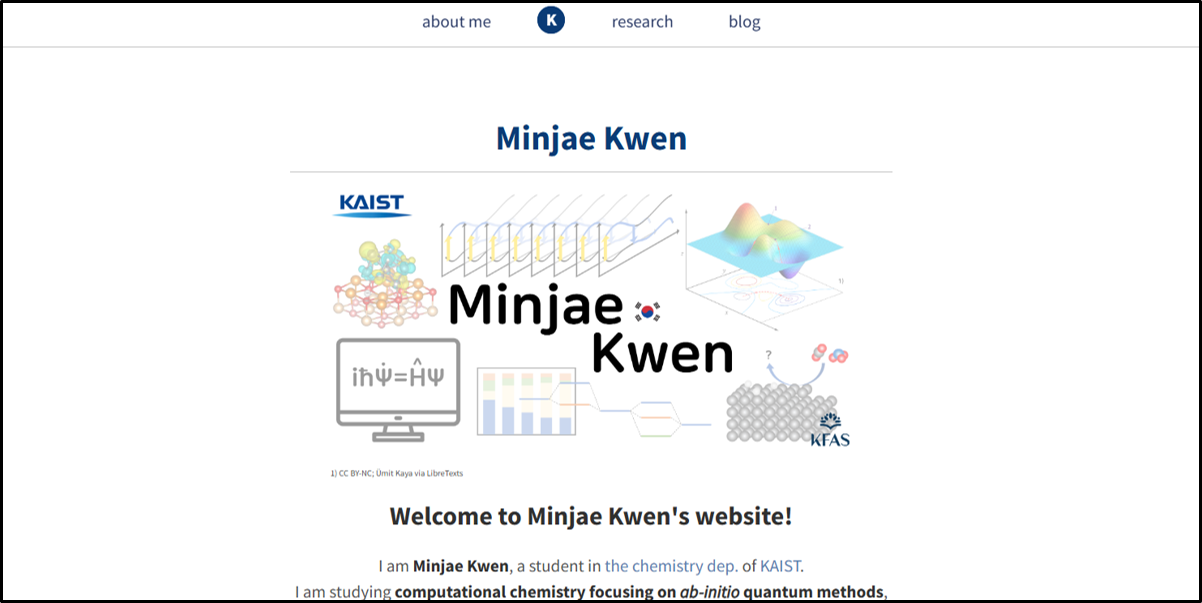
My current website (https://minjaekwen.github.io) was created by developing it directly using GitHub. The pros and cons of this approach are as follows:
-
Pros: Zero maintenance cost! / You can also show off your programming skills(?)
-
Cons: Because it’s based on HTML and CSS coding, you need a basic understanding of programming / Limited scalability
I did list programming as a “con,” but I hope you won’t feel too intimidated by it. When I first started making my website, I had virtually no understanding of HTML either. If you have basic coding experience and understand concepts like objects (classes), that is more than enough. You can also look at a few HTML code examples online to gauge both your current ability and the overall difficulty.
2. The purpose of building the website
What is your purpose for building a website? This is extremely important to clarify early, because the content of your website should change depending on your goal.
I built this website for personal promotion during my study-abroad application process. Based on that purpose, I designed the website with three main sections: Home – About Me (introduction) – Research (research experience). (I added the Blog later, once I had more time.) I remember focusing on filling the website with details that I couldn’t fit into my CV or résumé due to space limitations.
I recommend that you decide on the structure and content of your website according to your own purpose before you begin development. Jumping into website building without a clear blueprint can lead to a lot of trial and error—and it would be a waste of your time.
3. Getting started with development
This website is built on Jekyll. If you’re interested in this approach, I recommend the link below:
(It’s a series from Part 1 to Part 6, but even just the first four posts will be very helpful. You can also find it by searching “깃허브 블로그 만들기 Jekyll” on Google.)
There are many pre-made Jekyll design templates shared online. You just need to pick one that matches what you have in mind. After forking a template on GitHub, you can customize it to your taste. Here are a few quick tips that may help in the process:
-
In a Jekyll project, you will likely see HTML, CSS, and Markdown (MD) files. For non-majors: HTML forms the main structure of the website / CSS stores the design and styling / Markdown files are commonly used to write posts.
-
The file that controls the main page is often named index.html. When you visit minjaekwen.github.io, you will see the Home page generated by index.html, and when you visit minjaekwen.github.io/blog, you will see the Blog page generated by blog/index.html. (Sometimes minjaekwen.github.io/about may show a page generated by about.html, so don’t obsess over index.html only.)
-
Share your GitHub directory structure and files with ChatGPT, and ask about the changes you want to make. Assuming you provide enough information, ChatGPT is capable of suggesting the code edits needed to implement what you want. Make active use of ChatGPT or other reliable AI models as a development assistant.
-
When you edit the code, it can take quite a while before your changes appear on the live website. Don’t panic and assume you broke something—give it time and check again later.
4. Closing thoughts
Building a free website is not always easy. If you don’t really need a personal website and you don’t have much time, I wouldn’t recommend forcing yourself to build one. Still, once you make it, you can use it for a long time—so if you have a decent grasp of programming fundamentals, I believe it’s absolutely worth the challenge.
** I’m cheering for everyone who is considering building a website for all kinds of different purposes! **